
How to add/edit system users, edit or add groups and permissions and change logs.
Logo requirements and uploading, Hours of operation, company contact information, confirmations & reminders and setting your theme.
How to create discount codes to apply to the invoice.
How to add customized payment types for invoicing.
Creating services, editing service details and setting service appointment duration.
Setting up sales and treatment commissions and reviewing commission reports.
Creating products, setting inventory warnings and adding inventory.
Creating service packages and product packages.
Adding staff members, setting employee ID and creating calendars.
Creating room calendars.
How to add equipment.
Setting up service mapping-Tying services to staff, room and equipment. And assigning E-Record forms to services.
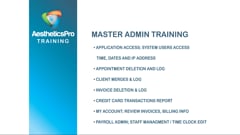
This video goes over important tools for the Master Admin level access privilege.
How to set up your staff schedule and create schedule templates.
How to create company announcements, create follow ups for staff members, and follow up reports/reminders.
Introduction to Calendar Options, Icons, Appointment Scheduling, Editing/Modifying Appointments.
How to check out an appointment, create an invoice and process a refund with integrated payment processing.
How to check out an appointment, create an invoice and process a refund without integrated payment processing.
How to apply payment to an existing invoice, adjust an invoice, how to apply a credit memo, printing and emailing an invoice and invoice corrections.
How to load a gift card and how to redeem a gift card.
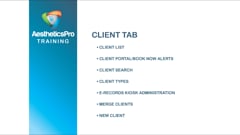
All details within a Client’s Profile, Including all Details, Appt. History, Purchase History, E-Records, and Client Menu Options.
All options listed under the [Clients Menu] on the top menu toolbar.
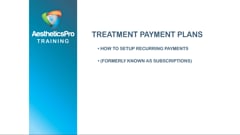
How to set up automatic monthly payments (integrated payment processing is required).
All options withing the E-Records Administration Menu.
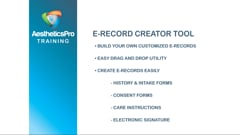
Set up your own customized E-Records with this utility that allows the creation of your own forms. Select your own components to drag and drop and completely customize your consent forms, treatment instructions and treatment records.
The different options for Creating a Client Records: within a Client Profile (Manually) and also touching on Service Mapping to Create a Record while scheduling an Appt.
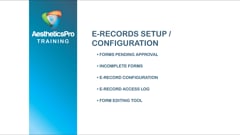
Describes the process to setup E-Record Approval, how to Assign forms as Require Approval, and the different options for Admin to Approve/Review/Not Approve forms.
Kiosk Mode for allowing clients to fill out their E-Records in the office.
All the options for Client Portal – both internally (config/setup) and from the Client Perspective.
Setup your online booking using the Book now feature (scheduling only).
Using the Photo and Document upload tool within a Client Record.
How to set up your rewards and set the point value, generating rewards certificates, redeeming rewards and how to track referrals.
How to check out a client that has multiple appointments in one day, on one invoice.
Setting up your landing page, creating your review questions and how to send your review requests.
Editing/modifying uploaded photos within a Client's record.
The different options and criteria available within the Client/Lead Demographics report.
How to create your campaigns, lead generation API, creating leads, accessing your lead list.
How to create quotes for your clients.
How to submit a ticket to our Support Team for software assistance.
Create and manage client memberships.
The Client Bank feature allows you to collect pre-payments and store funds towards future client purchases.
Set up and configure appointment confirmations (for email and SMS).
Configure EMV device for payment processing (integration required).
How to issue refunds on invoices.
Configure user permissions for medical directors.
Manage system user access and privileges.
Check out products without an appointment.
Administration Level Password Management.
Set up gender identity options and customize pronouns under Settings & Configuration and how to apply an option to the client details.
Located under Marketing>AP Marketing Solutions you will learn how to create the templates that will become the body of your emails and SMS text blasts.
Located under Marketing>AP Marketing Solutions you will learn how to utilize the SMS Text Blasts feature, from making templates to creating text lists, and creating the blasts. Please note in order to use this feature you must first reach out to your client success manager with AestheticsPro to set up your Twilio account.
Located under Marketing>AP Marketing Solutions. Learn how to create emails based on filters you set, such as a 90 day Botox follow up email to go out 90 days after an appointment has been invoiced.
Located under Marketing>AP Marketing Solutions, you can enable various Touchpoints to have emails go out automatically based on triggers. For example, you can set up the Create Appt touchpoint that will go out as soon as an appointment is manually created on the calendar by a system user.
Located under Marketing>AP Marketing Solutions, you can create emails that will go to a specified email list you create. You can set these emails to go out on a determined date and time of your choosing.